
Introducing the Next Generation of SA Score: Built for How NIL Teams Actually Work
We’ve been listening. Over the past year, we’ve had hundreds of conversations with NIL directors, brand partnership managers, and athletic departments. The feedback was clear: you love having comprehensive athlete data at your fingertips, but you need more than just insights. You need tools that fit seamlessly into your daily workflow.
Today, we’re excited to announce the biggest update in SA Score history. We’re evolving from an Athlete Marketing Intelligence platform into a complete operating system for NIL teams built to help you find the best athlete-brand matches, pitch and close more deals, grow your athletes' brands, and prove ROI to partners.
Because at the end of the day, that's what this is all about: more NIL revenue for your athletes, growing athletes’ personal brands, and a recruiting edge that shows prospects what your program can do for them.
A New Navigation Built Around Your Workflow
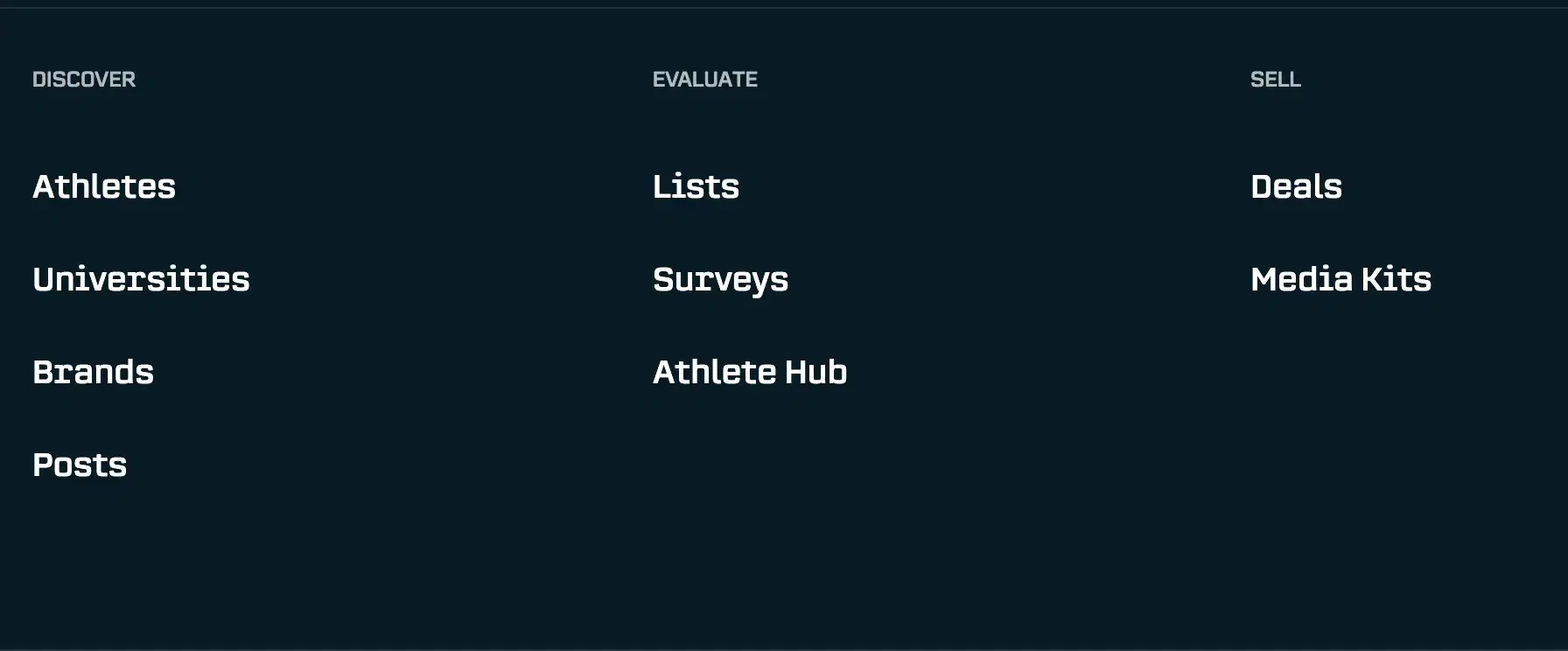
When we looked at how NIL teams use SA Score, we noticed something important. Your work isn’t organized by data types (Athletes, Universities, Brands), it’s organized by what you’re trying to accomplish. You’re identifying the best fits for brand deals, evaluating athletes for opportunities, and pitching them to brands.
That’s why we’ve completely redesigned our navigation around these three stages.
Discover is where you identify the right matches. When a brand comes to you with specific criteria, this is where you search your roster to find athletes who fit: filtering by social metrics, audience demographics, interests, and more.
Evaluate is where you dig deeper. Once you've identified promising matches, this is where you build lists, gather additional information through surveys, and access your Athlete Hub to see the full picture before making your pitch.
Sell is where you close deals and prove results. Your active deals, media kits, campaign tracking, and everything you need to pitch brands and show ROI live here. (Campaigns have been renamed to Deals).
Don't worry, we haven't removed any functionality. Everything you relied on before is still here, just organized in a way that matches how you think about your work.
Media Kits: Professional Pitch Decks in Minutes, Not Hours
Here’s a scenario we’ve heard over and over: A brand reaches out asking for athlete recommendations. You find three perfect candidates in SA Score, and then…you spend the next two hours taking screenshots, exporting data, dropping them into PowerPoint, and manually formatting a deck.
For teams managing 500+ athletes, creating individual pitch materials simply isn’t realistic. You could share the athlete profile or list of athletes in our platform, but the metrics don’t highlight the athlete as an individual. The context and athlete themselves are often more important than the data. We’ve heard teams send spreadsheets of their athletes or screenshots from our platform. None of these options represents your athletes the way they deserve. That’s why we’re introducing Media Kits.
Why Media Kits Matter
Every athlete deserves professional representation when you're pitching them to brands. But the reality is that NIL teams are stretched thin, and creating polished materials for hundreds of athletes has been impossible. Until now.
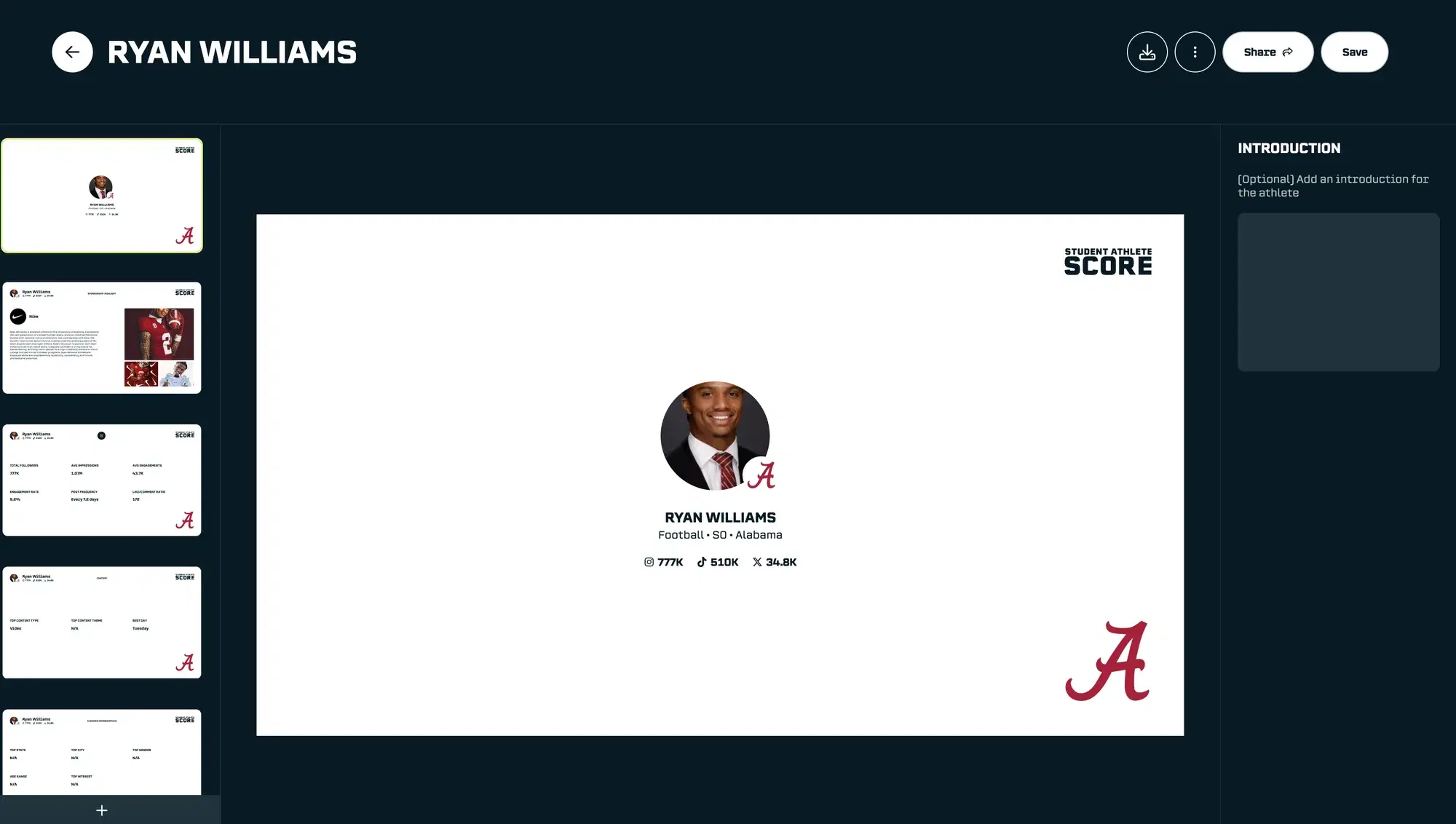
With Media Kits, you can generate a complete, branded pitch deck for any athlete in minutes. All the data already in SA Score: their social metrics, audience demographics, brand safety scores, engagement rates all flows automatically into a professionally designed presentation.
How It Works
The deck builder pulls directly from the athlete data in our platform. You choose which sections to include, add any custom content or photos, and apply your organization's branding. When you're done, you can download it as a PDF or share a live link that always shows the latest data.
No more screenshots. No more manual formatting. No more settling for spreadsheets when a deck would be better.
Athlete Hub: Your Internal Knowledge, Finally Connected
This is the feature that NIL teams have been asking for the most.
Here’s the challenge: SA Score can tell you an athlete’s follower count, engagement rate, audience demographics, and their interest’s from social posts. But we can’t tell you that Sarah on the volleyball team drives a Honda, loves Italian food, and has a golden retriever named Max. That knowledge lives in your head, in scattered spreadsheets, or in conversations with the coaches and athletes. All of these unique characteristics offer brand opportunities for the athlete.
When Chewy calls looking for athletes with pets, you’re relying on memory. When Nissan wants to know who on campus drives their cars, you’re sending emails to coaches and they’re asking their athletes. The athletes who get opportunities are often just the ones you happen to know best -not necessarily the best fits.
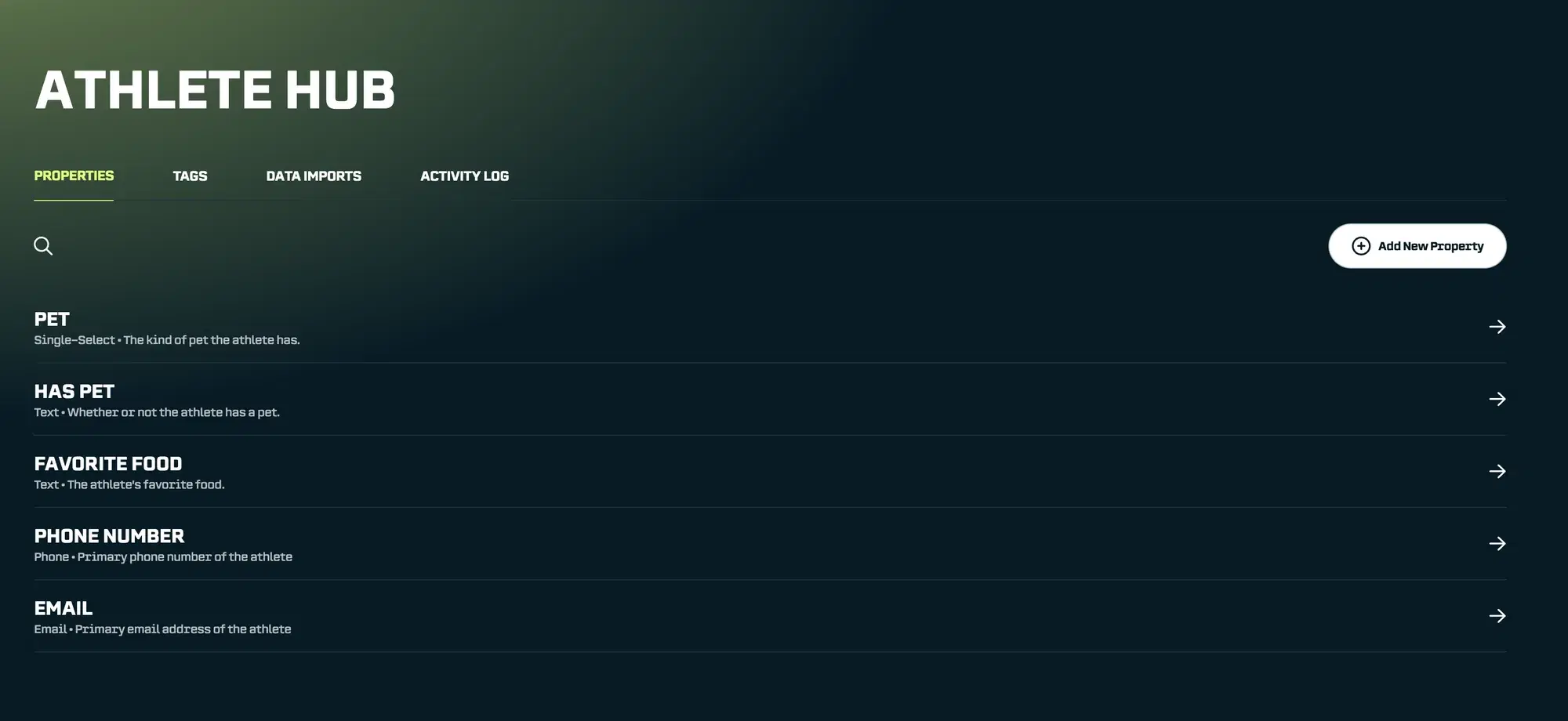
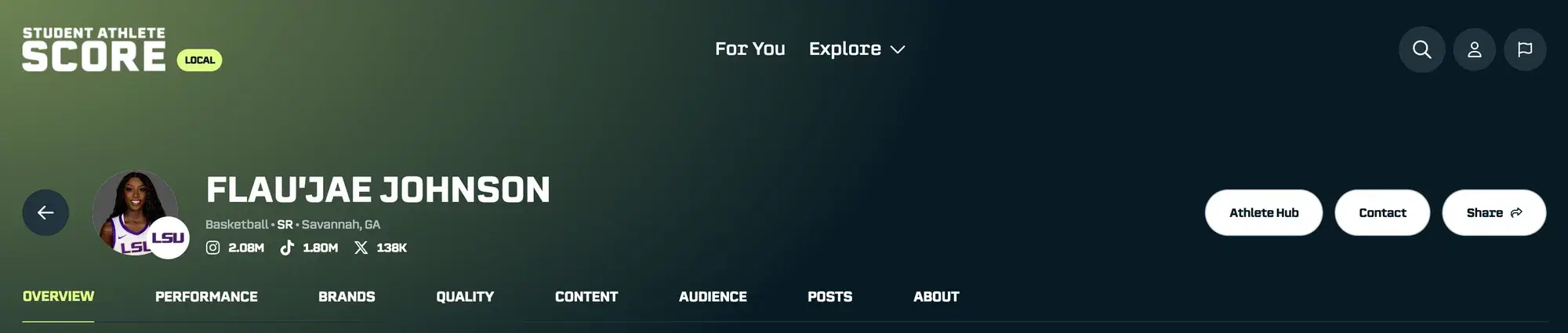
Athlete Hub solves this by letting you bring your internal knowledge into SA Score, right alongside our data. It’s your own private, internal database that you can use within the SA Score platform.
Properties: Structured Data you Define
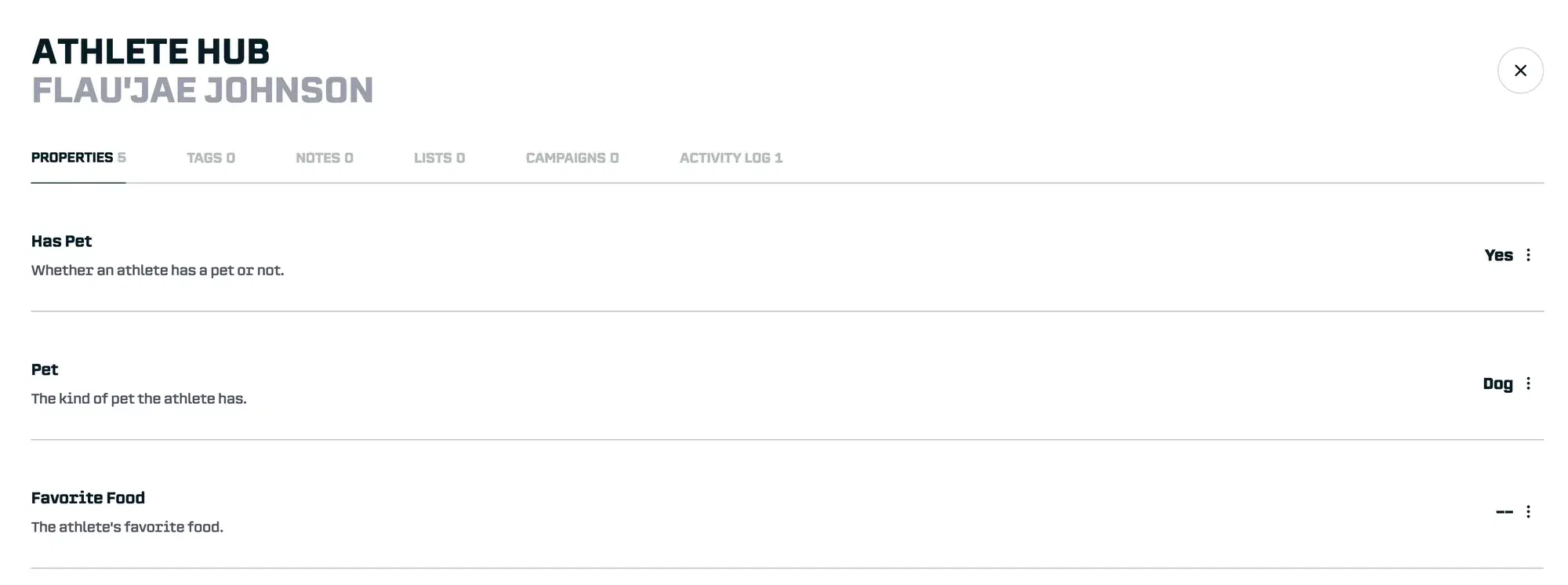
Properties let you add custom fields to athlete profiles. Think of them as your own database columns that you control.
Want to track which athletes have pets? Create a “Has Pet” property. Need to know their favorite restaurant type? Add that. Vehicle brand, food preferences, hometown connections, whatever matters for the sponsorships you’re pursuing.
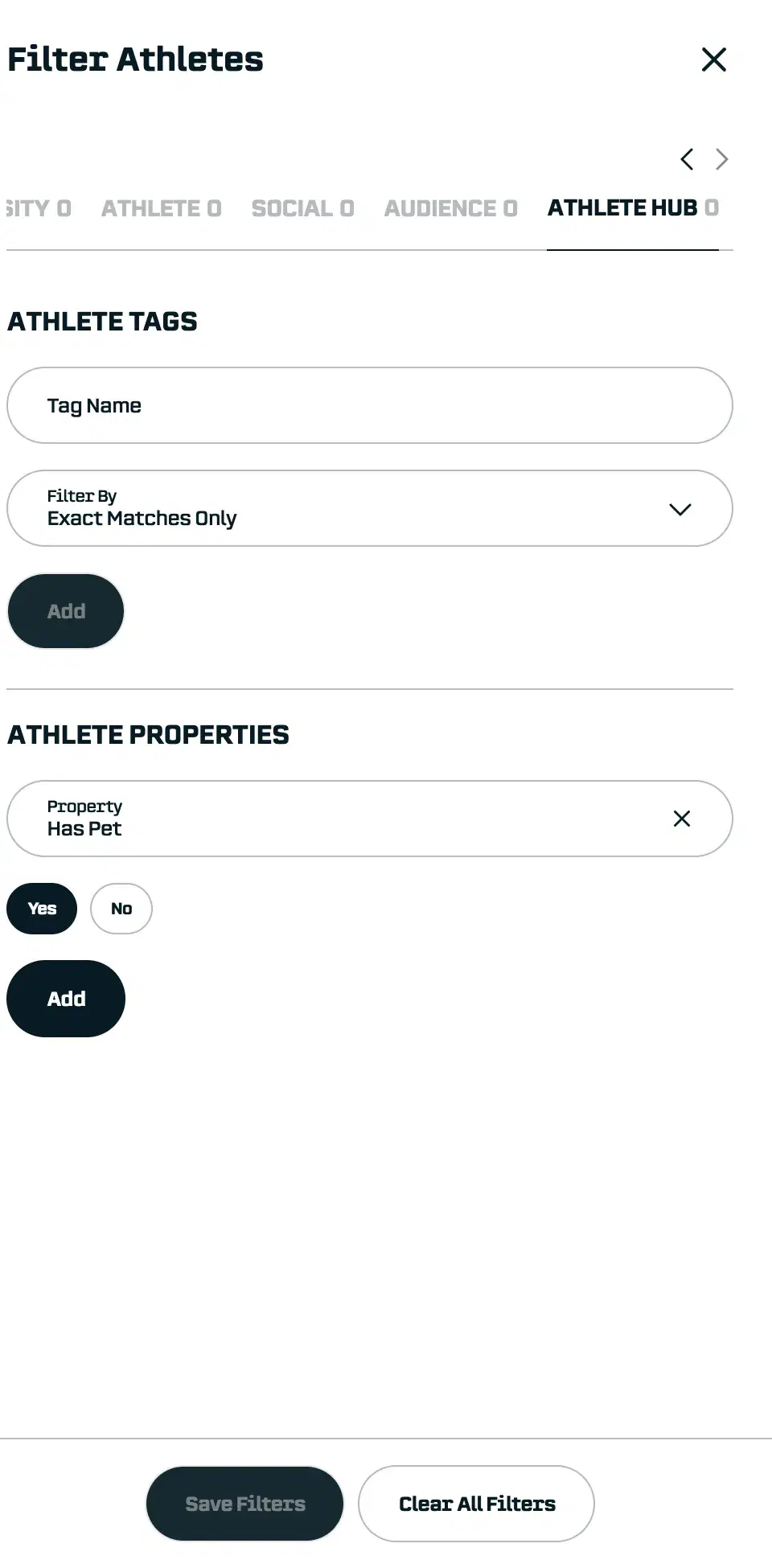
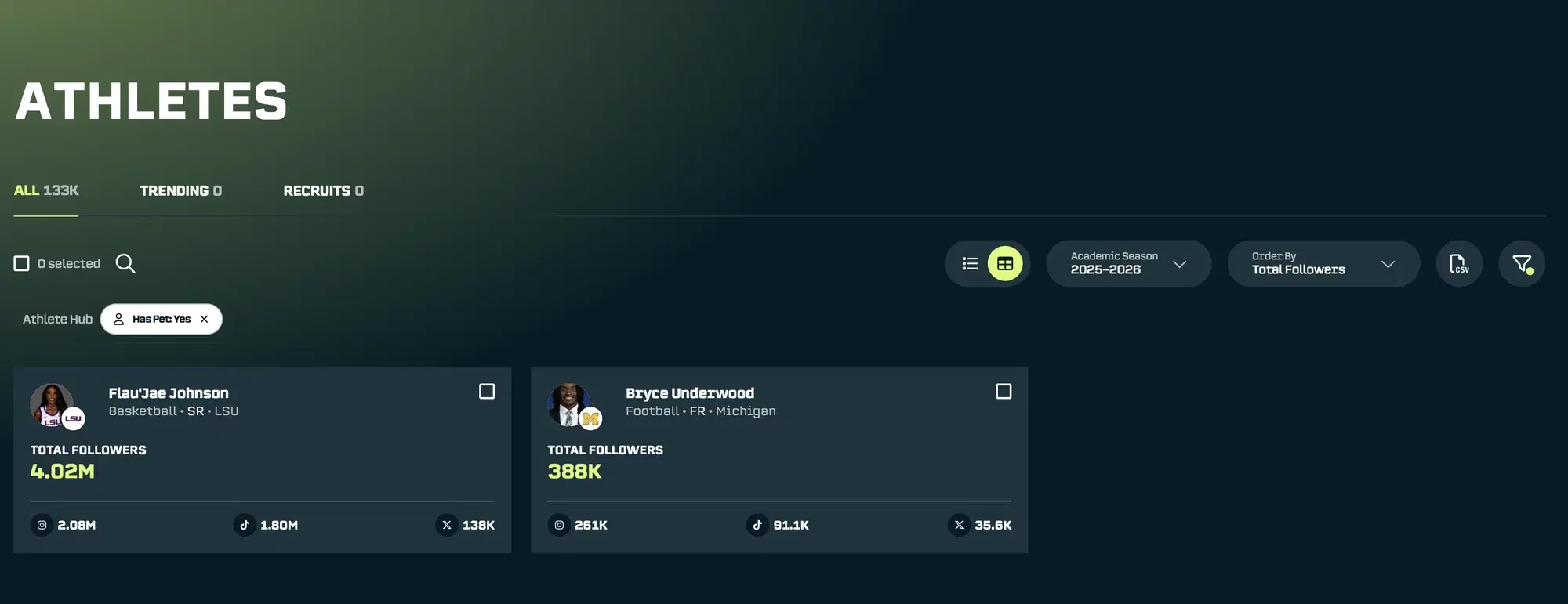
Once properties are filled in, they become searchable and filterable just like any other data in SA Score. When that Chewy opportunity comes in, you can filter your entire roster by “Has Pet = Yes” combined with “Engagement Rate > 5%” and have your candidate list in seconds.
Tags: Quick Labels for Flexible Organization
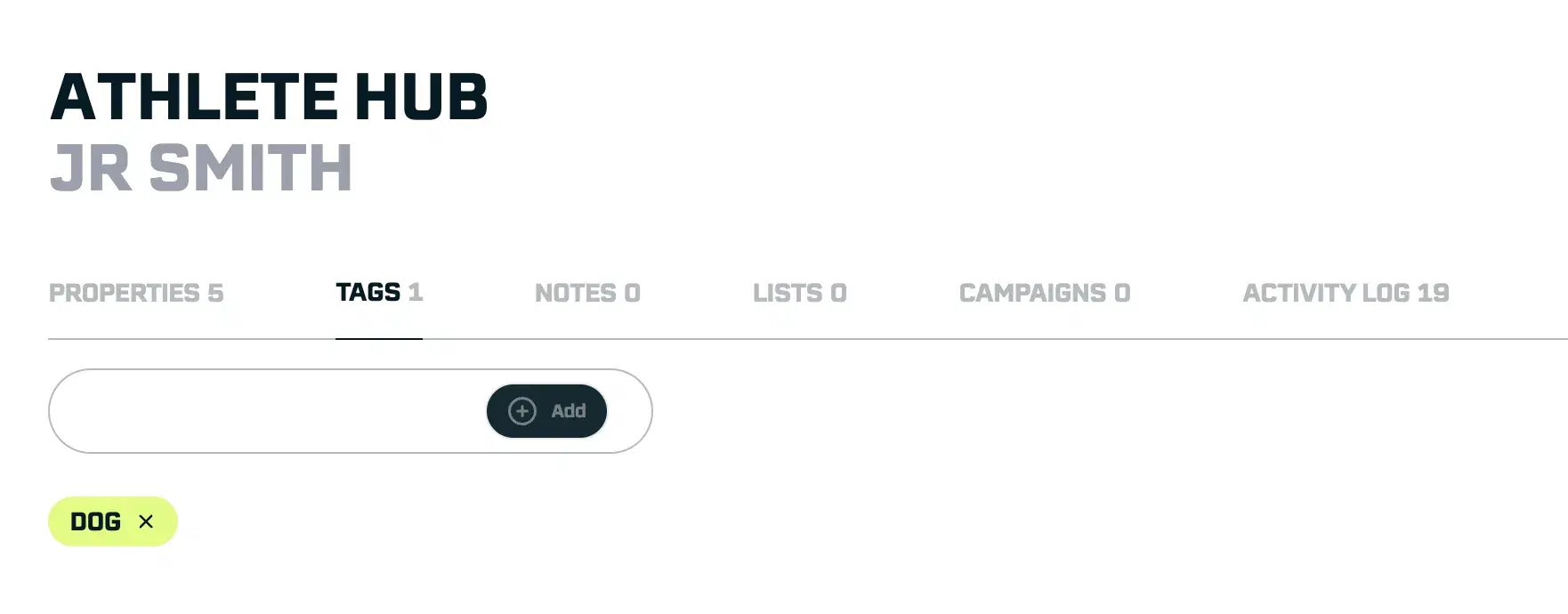
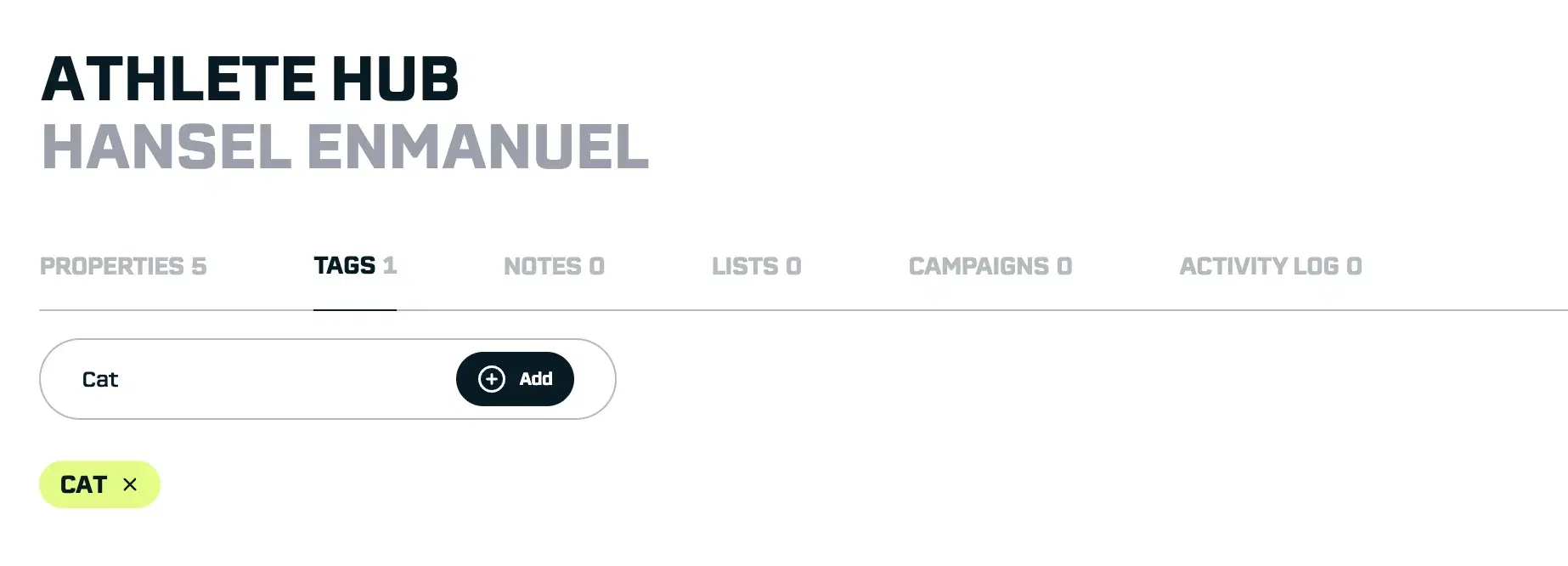
Sometimes you don’t need structured data, you just need a quick way to categorize athletes. Tags are simple labels you can add to any athlete profile.
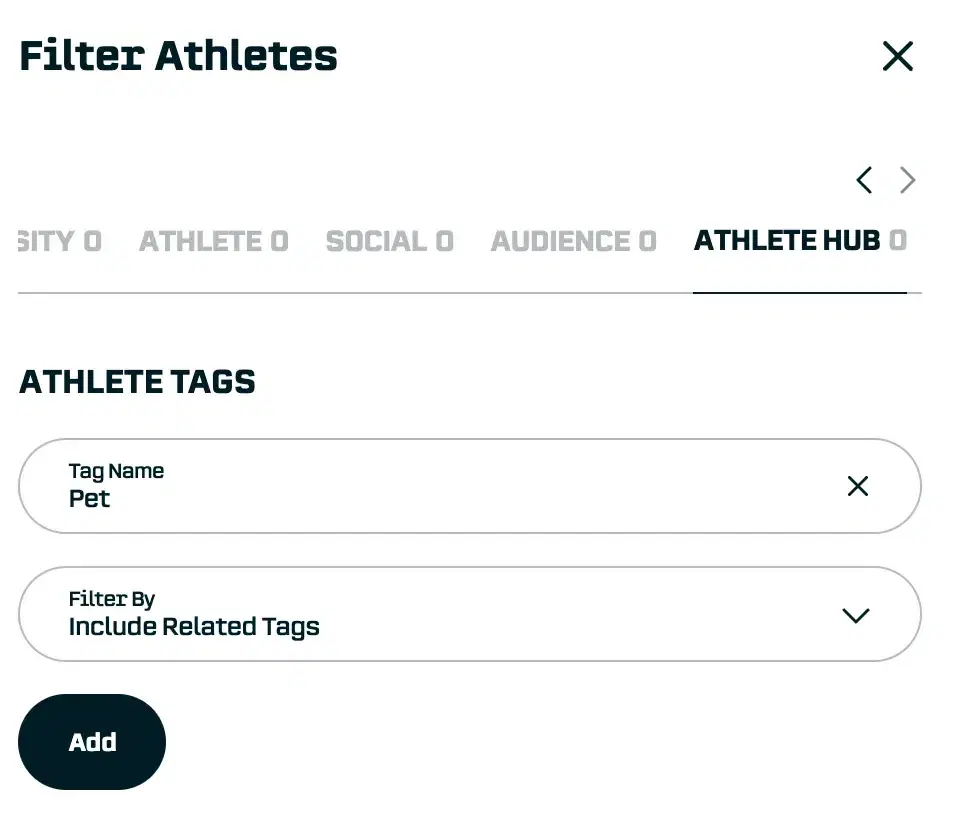
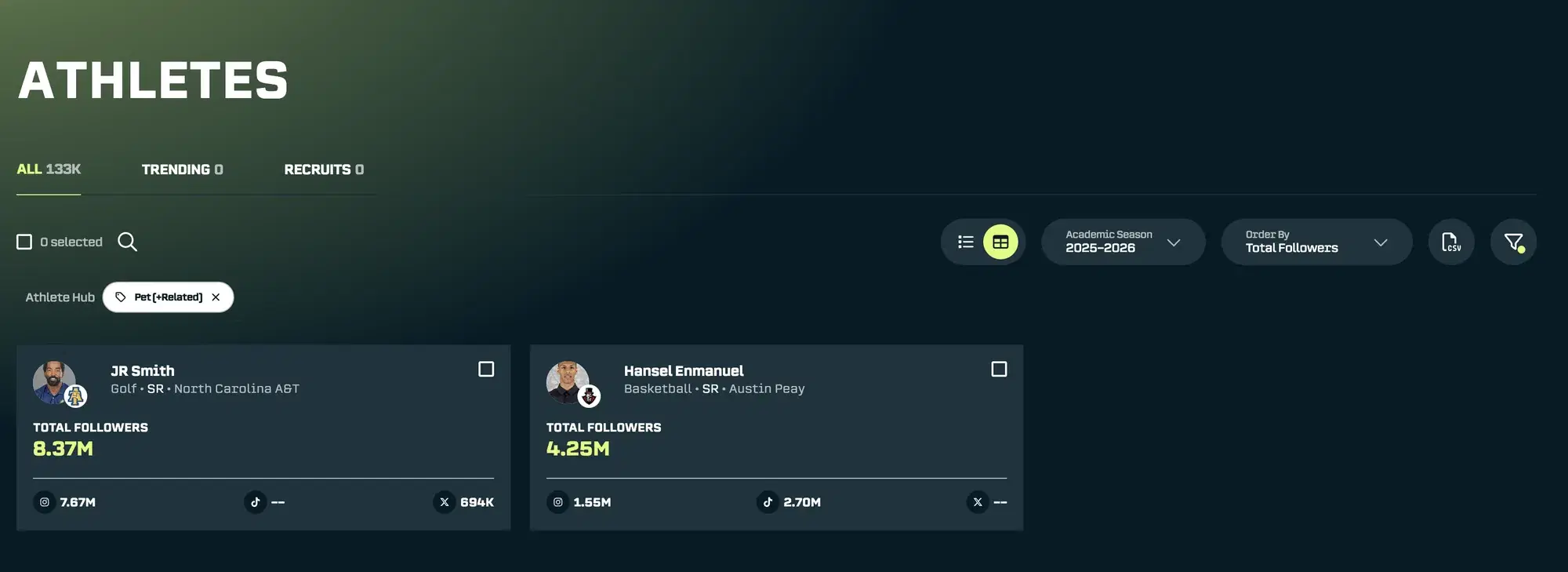
Tag an athlete with “pet-owner” or “foodie” or “gaming” and they become instantly searchable. The best part? Our intelligent matching means when you filter for “pet”, you’ll also see athletes tagged with “dog”, “cat”, or “pet-owner”.
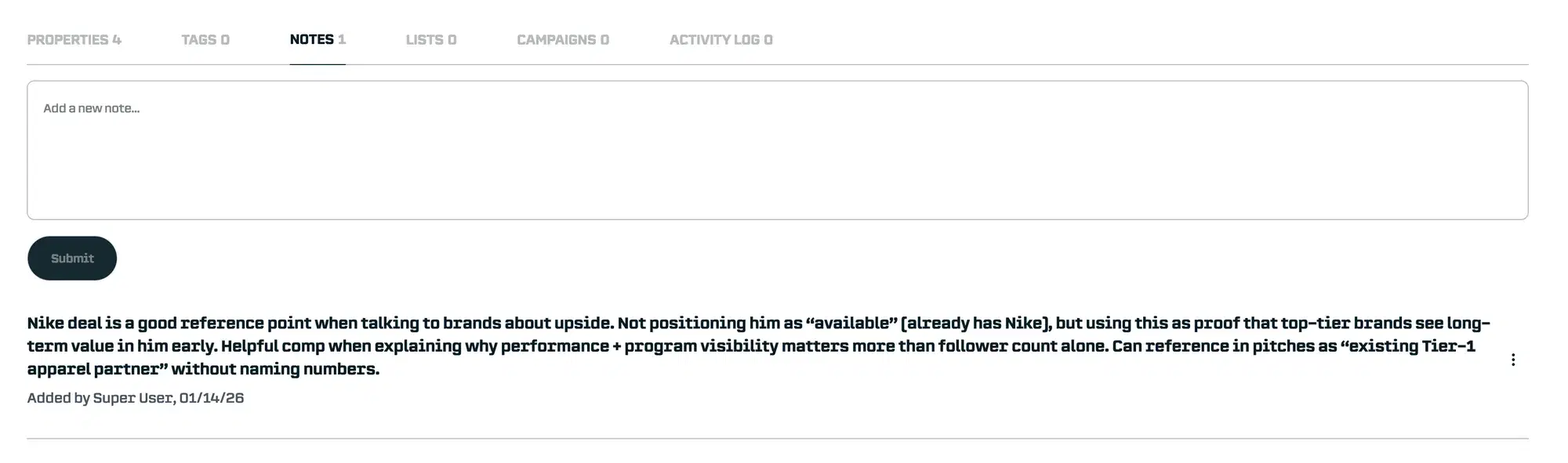
Notes: Context That Doesn't Get Lost
Every athlete has a story that doesn't fit neatly into data fields. Maybe you had a great conversation at an event. Maybe a coach mentioned they're incredibly reliable for content creation. Maybe there's important context about their availability or preferences.
Notes let you capture this information directly on the athlete's profile, visible to your entire team. No more important details buried in email threads or forgotten after staff turnover.
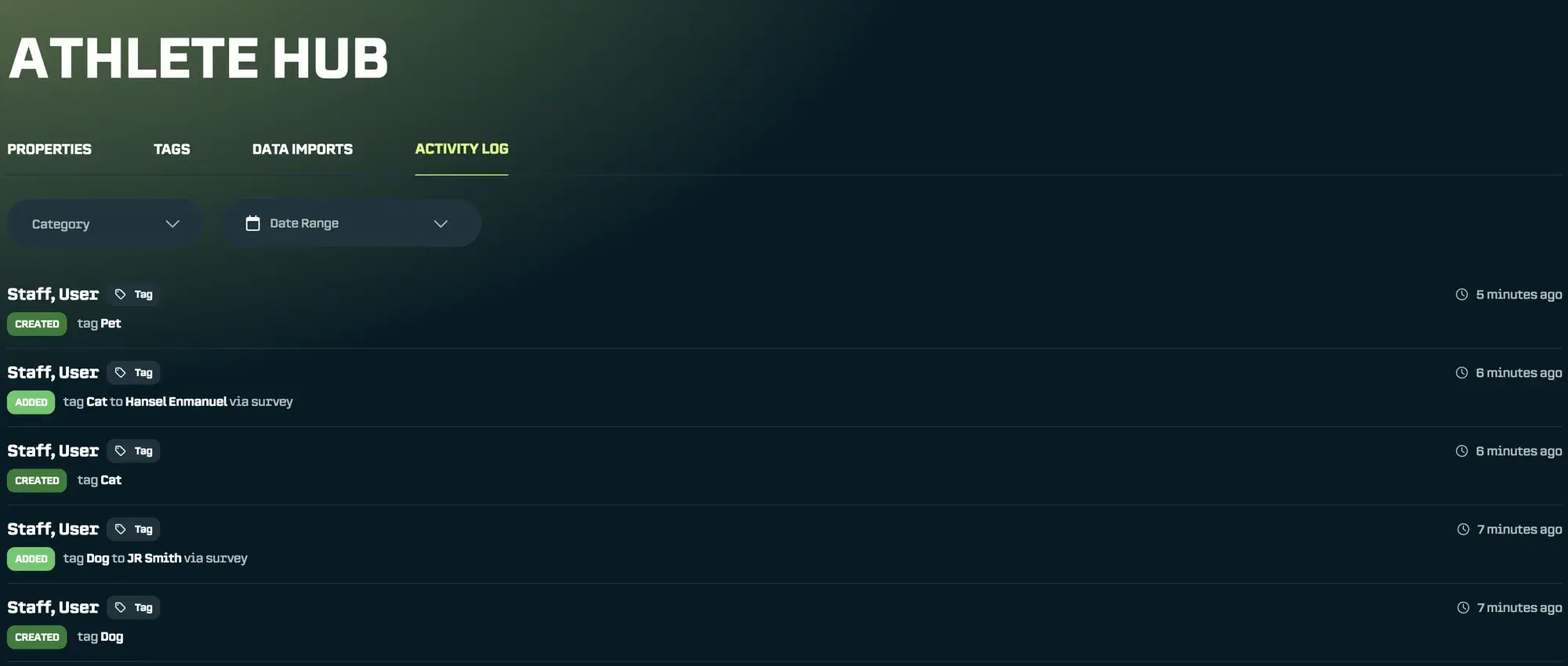
Activity Log: Full Visibility Into Your Team's Work
With multiple people on your NIL team making updates to athlete information, it's crucial to know who changed what and when.
The Activity Log tracks every modification to the Athlete Hub: property updates, tags added, notes created. You'll always have a complete picture of how your athlete data is evolving and who's contributing.
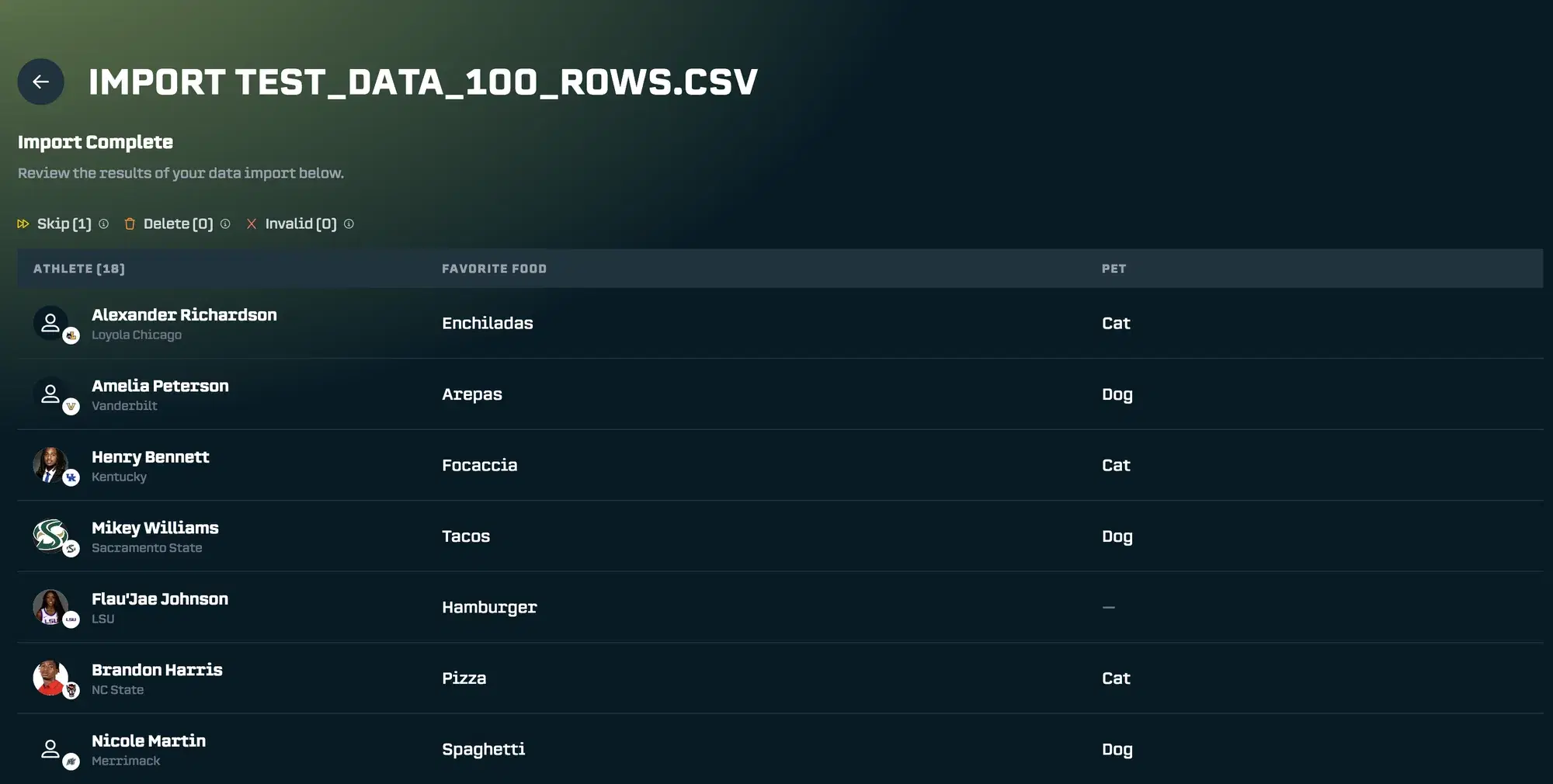
Data Import: Get Started Without Starting Over
We know you're not starting from scratch. Many NIL teams have spreadsheets full of athlete information they've been collecting for years.
Data Import lets you upload your existing CSVs directly into the Athlete Hub. Map your columns to properties, and your historical data is instantly available and searchable in SA Score. No manual re-entry required.
Surveys: Get the Information You Need, Fast
Some information you can't know without asking. When a brand has specific requirements like "We want athletes who use our product" or "We need athletes available to travel in March", you need a way to quickly gather that information from your roster.
The old way: email the athletes, ask internal staff, ask the athletes themselves, hope they respond, manually compile the answers, cross-reference with your data, and hope you didn't miss anyone.
Surveys makes this effortless.
Why Surveys Change the Game
Think about the last time a brand asked for something specific you didn't have data on. How long did it take to get answers? How many follow-up emails did you send? How confident were you that you found everyone who qualified?
Surveys lets you go from brand request to qualified candidate list in hours instead of days.
Building Your Survey
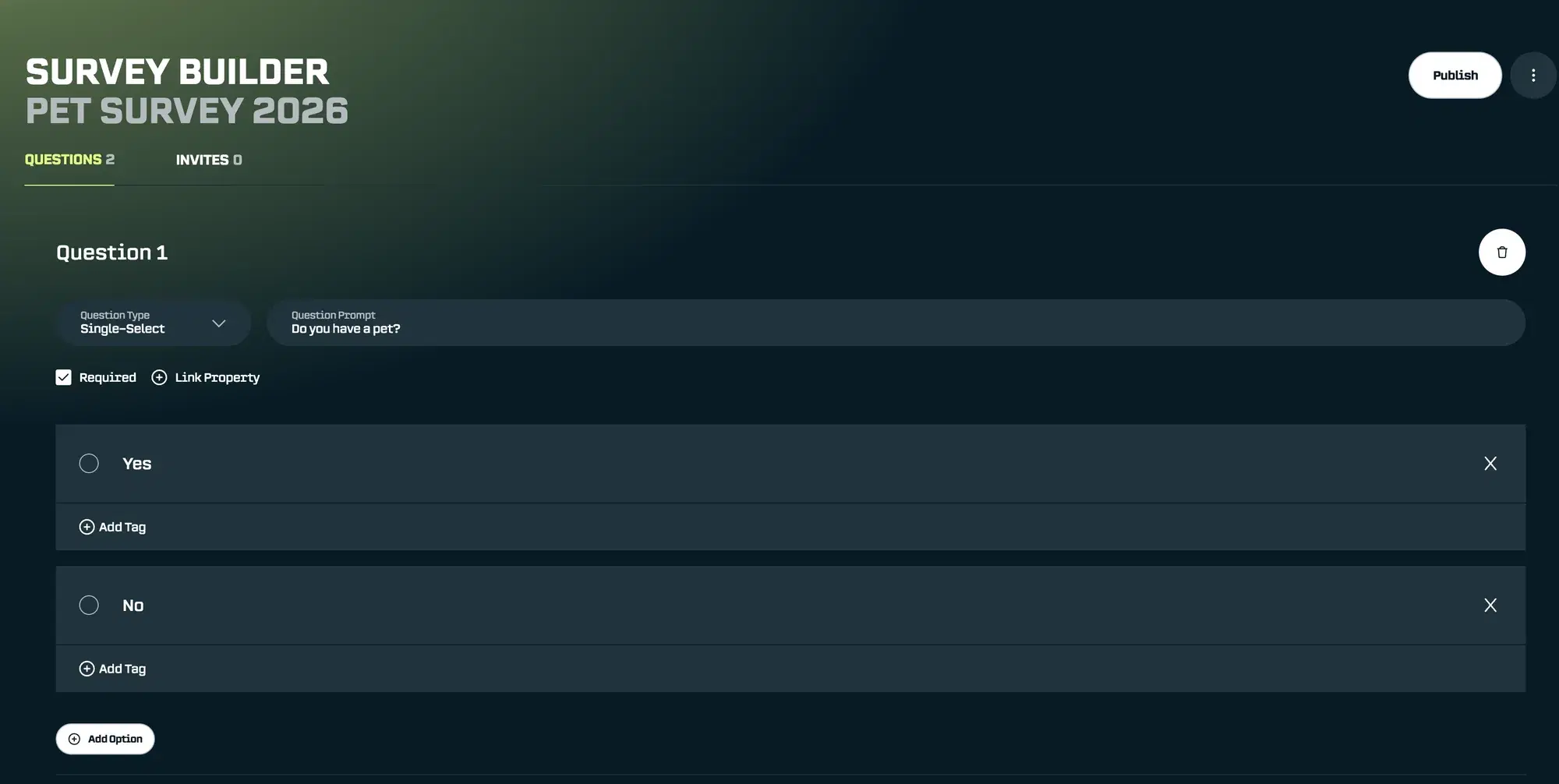
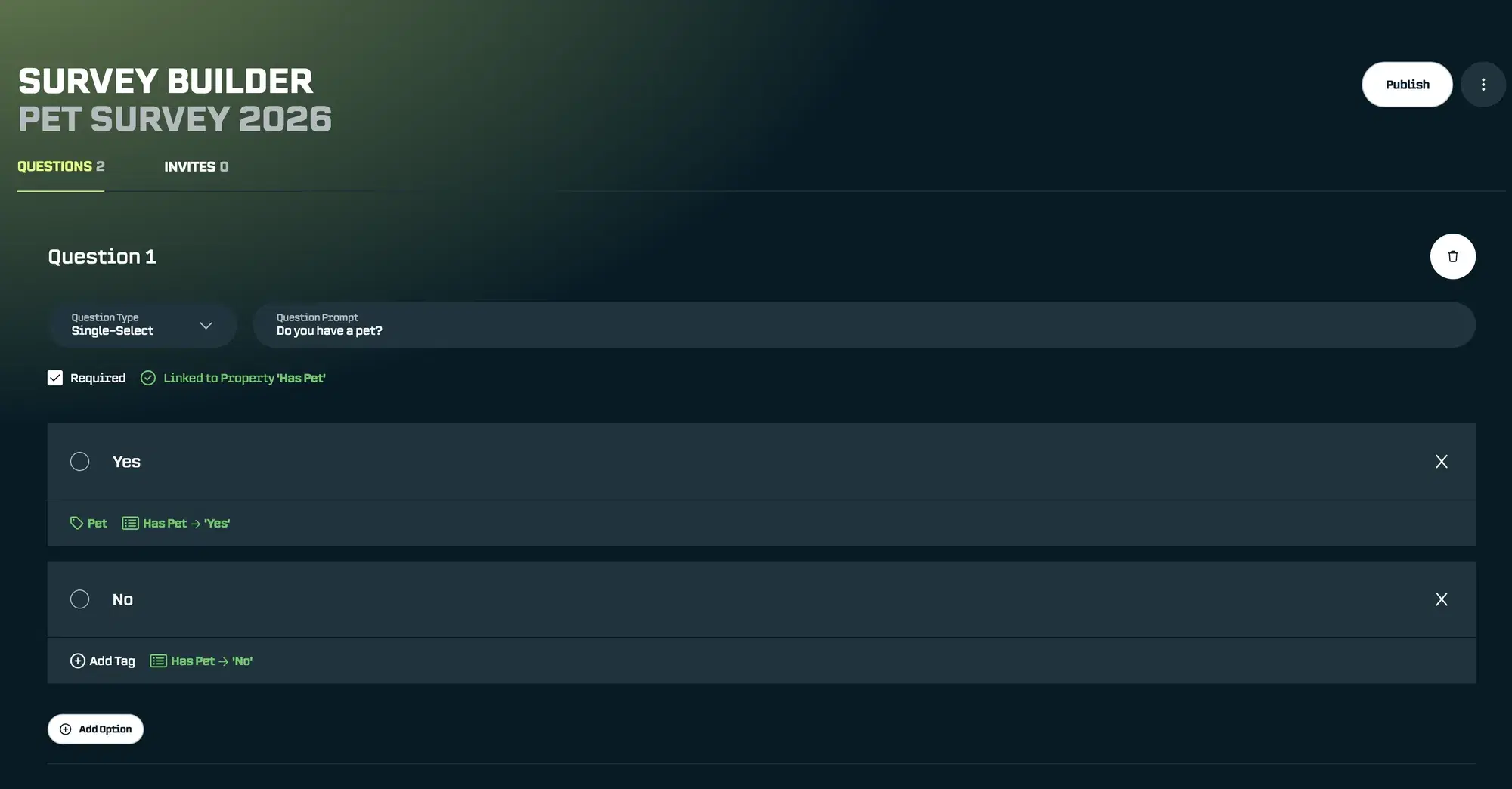
The survey builder is designed for speed. Add your questions, set response types, and you're ready to go. But here's what makes it powerful: you can link questions directly to tags and properties in the Athlete Hub.
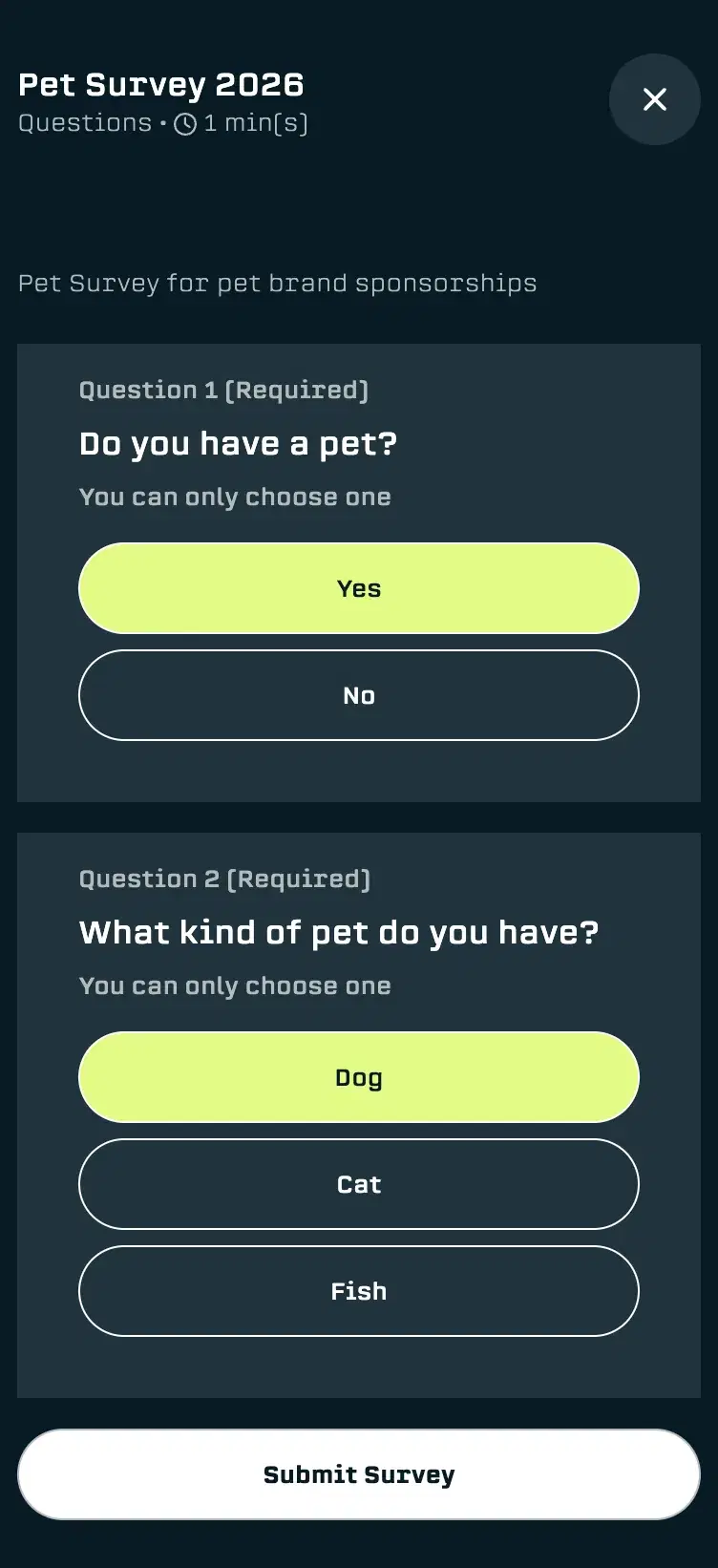
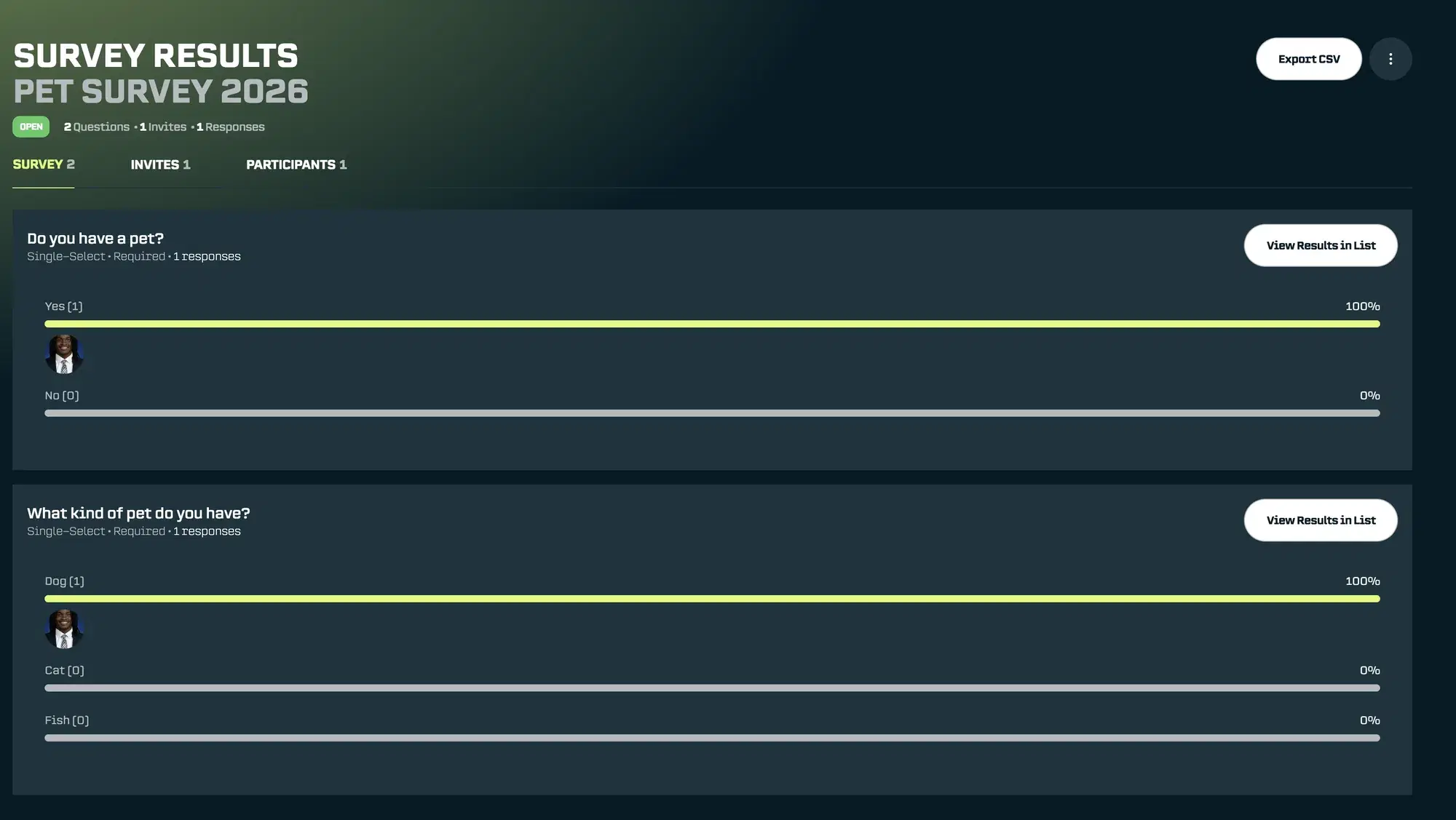
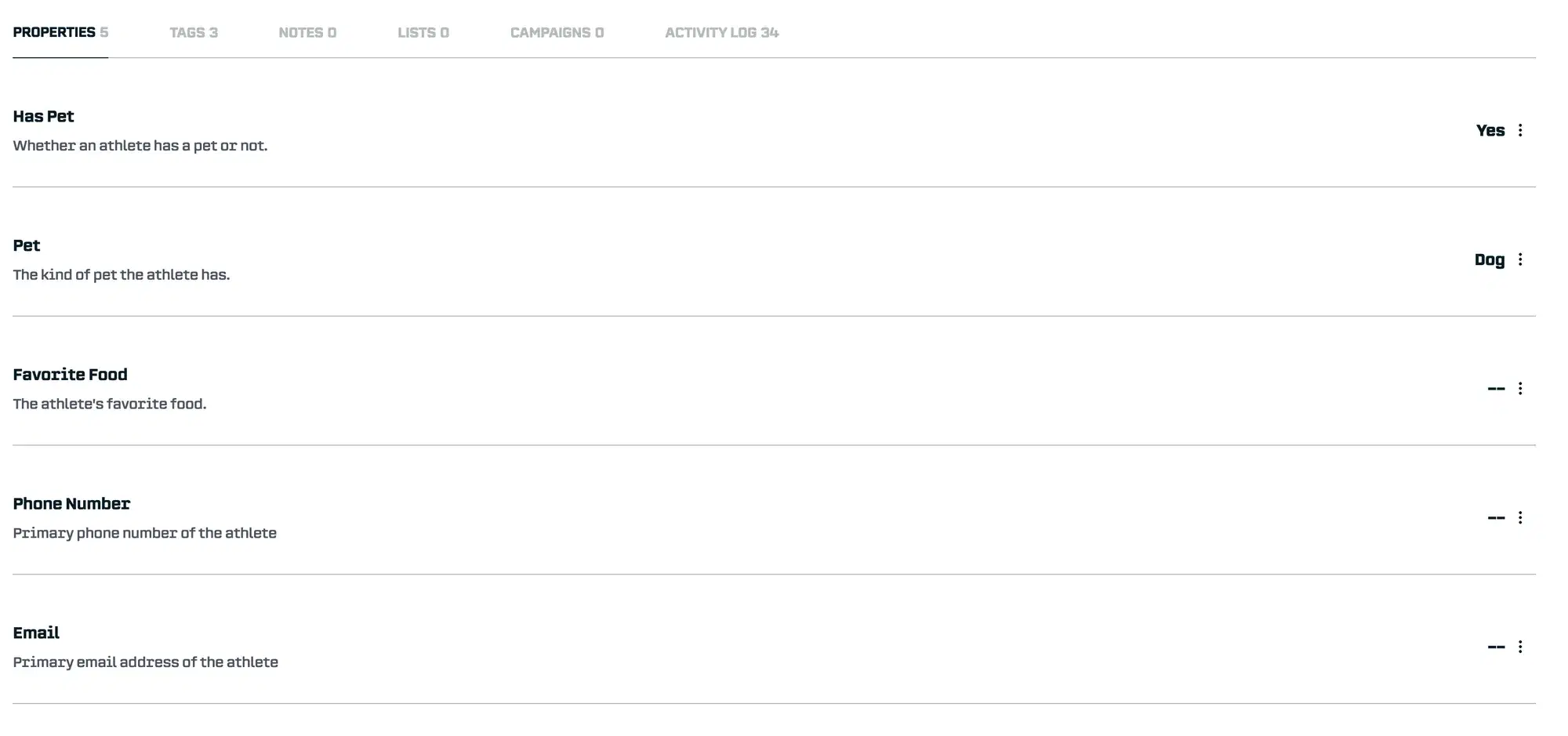
When an athlete responds "Yes" to "Do you have a pet?", their profile automatically gets tagged. When they type "Golden Retriever" for "What type of pet?", that property gets filled in. Every response enriches your database for future opportunities.
Inviting Athletes and Getting Responses
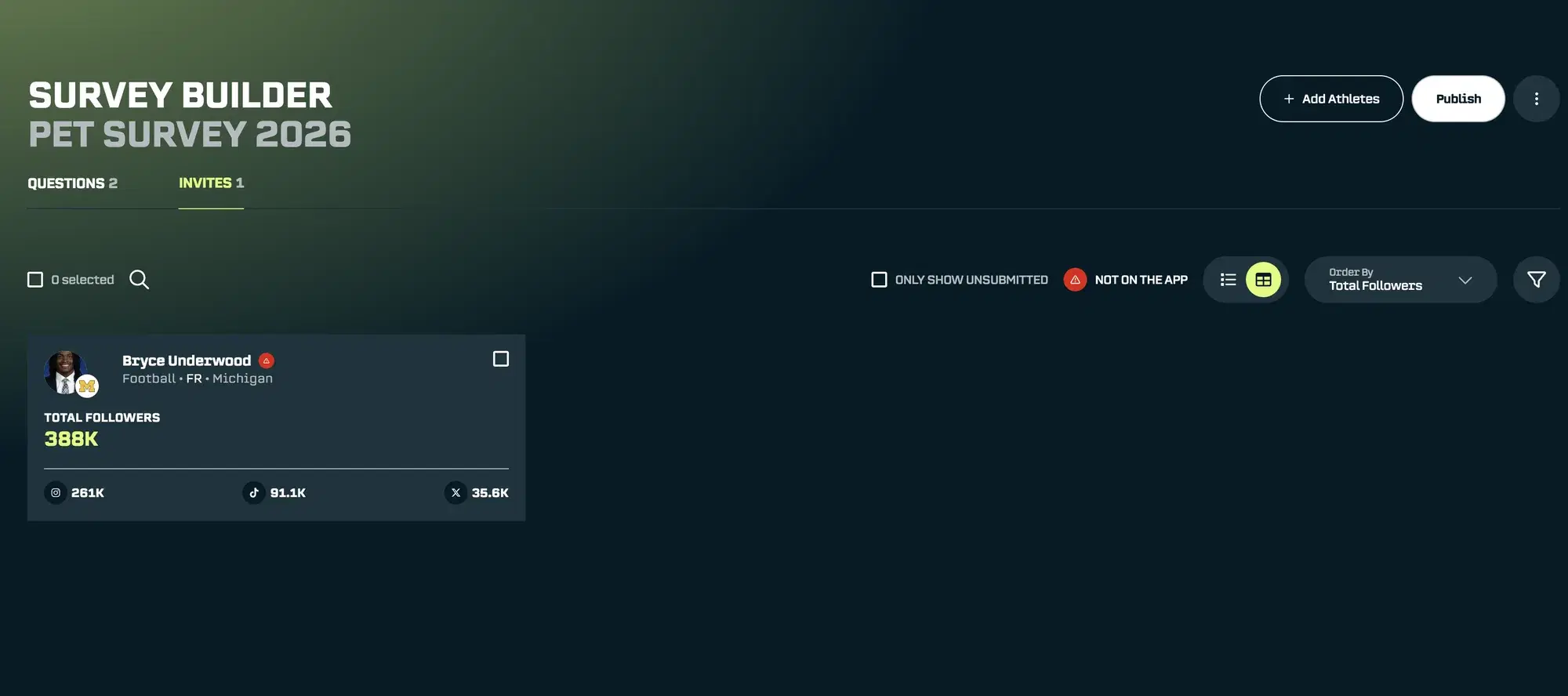
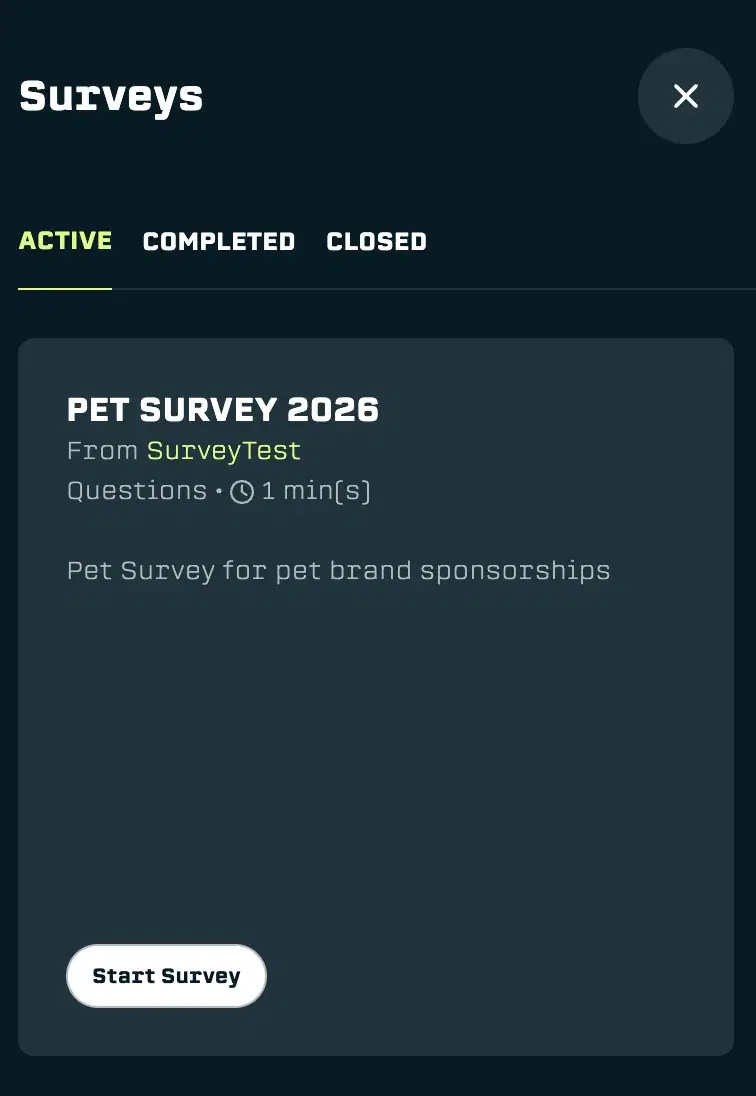
Send surveys to specific athletes or your entire roster. Select the athletes you’d like to invite to the survey. They’ll receive a notification in the app and be able to respond to the survey. We know how hard it is to get athletes to download apps, so we have a email / web version coming soon.
Tracking Responses and Using Survey Results
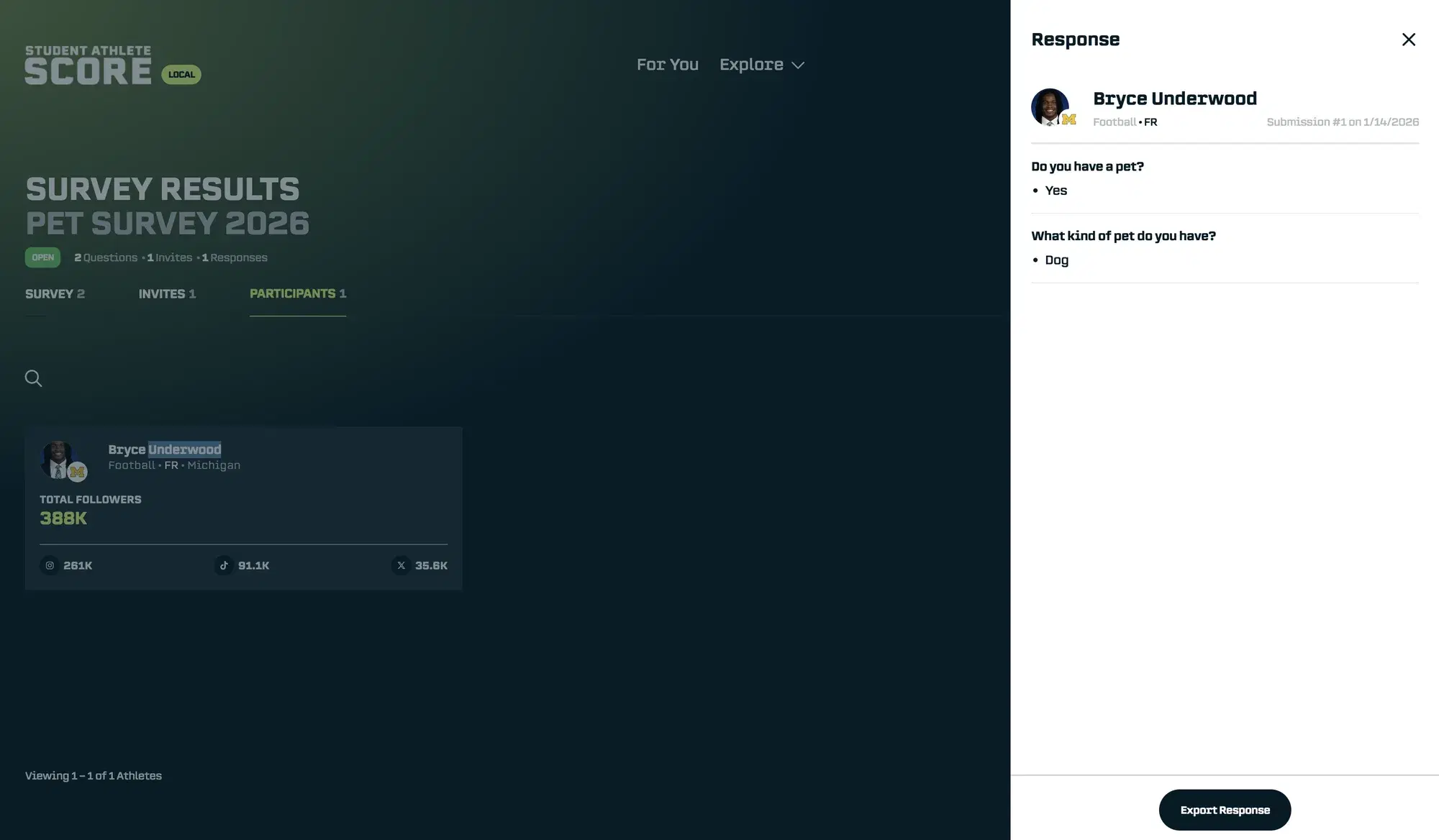
After you publish the survey, you will be able to view a summary of the answers, view the individual responses, filter by responses, and export the results. If Properties or Tags are linked to questions, they will be populated when the athlete submits their response.
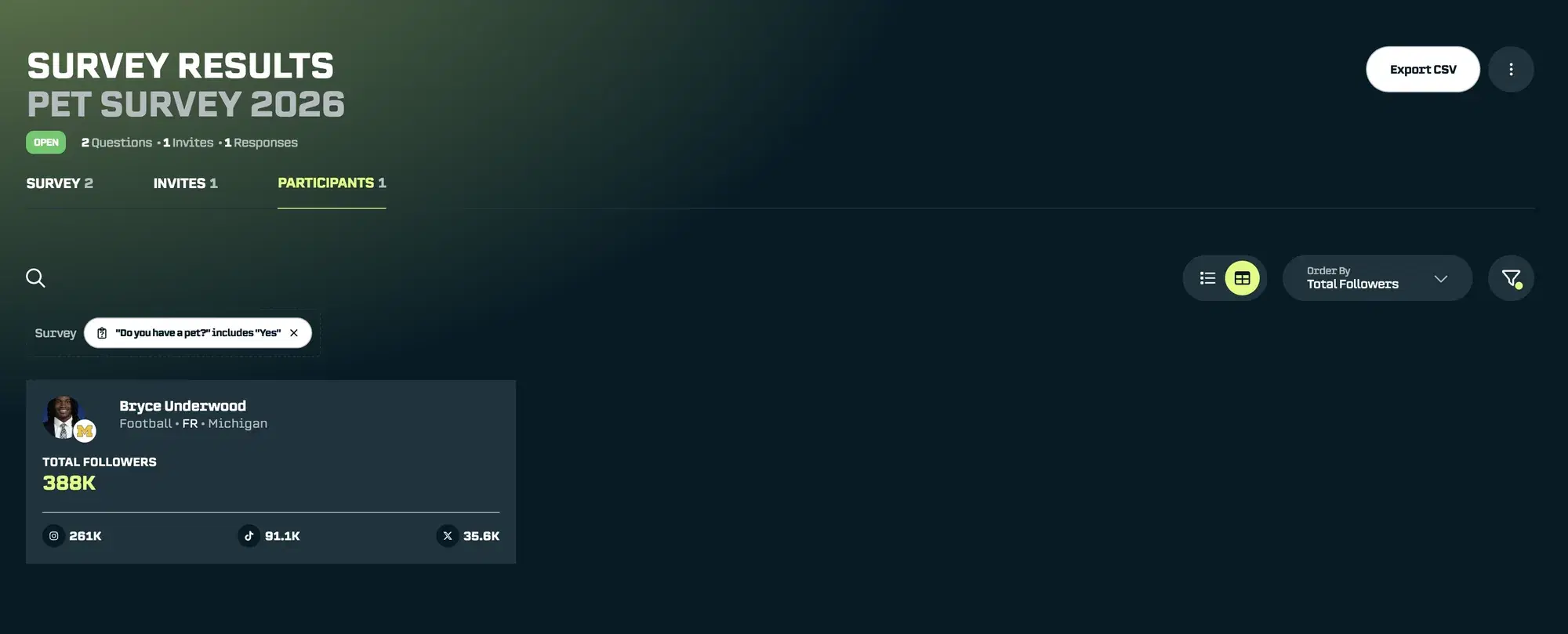
Once responses come in, you can filter and search athletes based on their answers combined with all the other data in SA Score. Find every athlete who said "Yes" to having a pet and over 10k followers, all in one search.
Where We're Going
These features represent a fundamental shift in what SA Score can do for your team. But this is just the beginning.
NIL teams are operating like agencies: helping athletes grow their brands, land sponsorships, hit deliverables, and build long-term value. The difference? Agencies have powerful backend infrastructure to manage hundreds of clients, track deals, and scale their operations. Until now, NIL teams have been doing agency-level work with spreadsheets and email chains.
That's what we're building for you. SA Score is becoming the backend infrastructure that powers your NIL operation: a single platform to manage athletes, match opportunities, create pitches, track campaigns, and prove ROI.
Here’s whats coming next:
AI-powered pitch generation. Tell us the brand, and we'll draft customized copy and deck content based on the athlete's profile and the brand's typical partnerships.
Mobile-friendly athlete access. Athletes will be able to view their brand growth, answer surveys, and track their deals from any device. No app download required.
Enhanced athlete app. We're building an AI agent that acts like a personal brand manager in every athlete's pocket: reminders to post, suggestions for brands that align with their interests, deliverable tracking, and more.
Deal Tracking. We’re expanding our previous campaign tracking feature to empower teams to track deliverables for athletes, payment schedules, and view insights like monthly NIL revenue, per-athlete estimated deliverable value.
Start Using These Features Today
All of these features are available now. If you’re an existing customer, log in and explore the new navigation. You’ll find Media Kits, Athlete Hub, and Surveys ready to use.
If you’re not yet using SA Score, contact use to see how these tools can transform your NIL operations.
We built these features because you asked for them. As always, we want to hear what you think. What’s working? What could be better? What should we build next?
Reach out anytime at support@studentathletescore.com or use the in-platform support to share your feedback.
Here’s to working smarter, representing your athletes better, and closing more deals.
— The SA Score Team